How to Reveal a Contact's Email
Written By Alex Mercer
Last updated About 2 months ago
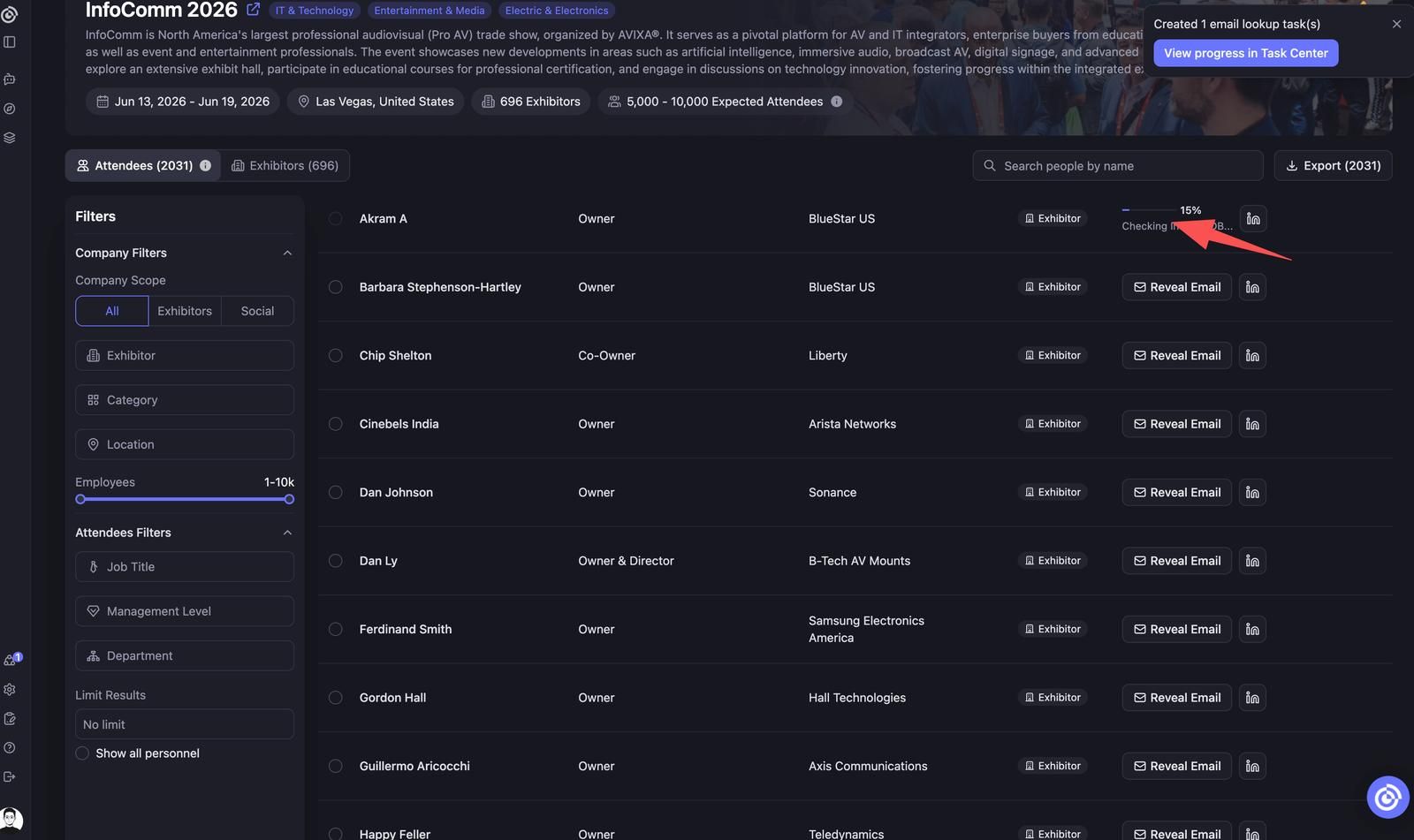
After unlocking an event, each contact row in the Attendees list shows a Reveal Email button. Clicking it retrieves that person's verified email and deducts 15 Credits.
What You Need
- The event must be unlocked first. See How to Unlock an Event.
- At least 15 Credits in your account. See Credits Usage Policy.
How to Reveal an Email
- Open an unlocked event and go to the Attendees tab.
- Use filters to narrow the list if needed (job title, management level, department, company, etc.).
- Find the contact you want and click Reveal Email in the Contact Info column.
- The email address is immediately displayed. 15 Credits are deducted.
The email is retrieved in real time from our verified data partners. This typically completes within 1–2 seconds.
What Happens After Reveal
- The email is permanently saved to your workspace. You will never be charged again to view the same contact's email.
- Revealed emails are accessible in the contact's profile.
- You can export revealed emails at any time, regardless of your current subscription status.
Revealing Multiple Emails
The contact list displays up to 100 rows per page. You can bulk reveal all contacts on the current page at once, then navigate to the next page to continue. Bulk reveal is scoped to one page at a time — there is no single-click reveal across the entire event list.
Tip: Filter by job title, management level, or department before revealing to work through the highest-priority contacts first and avoid spending credits on low-fit rows.
What If an Email Cannot Be Found?
For a small percentage of contacts, our data partners may not have a verified email on record. In this case:
- No Credits are deducted.
- The result will show "Email not available" for that contact.
You are only charged when an email is successfully retrieved.
Email Accuracy
Lensmor retrieves emails from compliant third-party data providers (e.g., People Data Labs, Proxycurl). Emails are verified at the time of retrieval. However, contact information can change — see Email Accuracy & Bounce Rates for what to expect and how to handle bounces.
FAQ
Q: Can I reveal the same contact's email twice?No. Once an email has been successfully revealed, it stays saved in your workspace and you are not charged again for that same contact.
Q: Do I need to unlock the event before revealing emails?Yes. Email reveal is only available inside an unlocked event's Attendees list.
Q: Can I reveal emails in bulk for all contacts in an event?Yes, but only for the current page. Each page displays up to 100 contacts — you can bulk reveal all contacts on the current page, then navigate to the next page to continue. Filter by job title, management level, or department first to prioritize the contacts that matter most.