How to Find and Search Events
Written By Alex Mercer
Last updated About 2 months ago
Lensmor covers 160,000+ global trade shows and conferences. This article explains how to find the events that matter to your business.
Using the Search Bar
From the Discover page, the search bar has a mode switcher on the left:
- Event — search by event name (e.g. "CES 2026", "InfoComm 2026"). Only English event names are supported.
- Exhibitor — enter a company name to find all events that company has exhibited at (e.g. "Enter competitor name to find where they're exhibiting..."). Each search costs 50 Credits.
Switch to the mode that matches your starting point before typing.
Filtering Results
Use the filter bar at the top to narrow results:
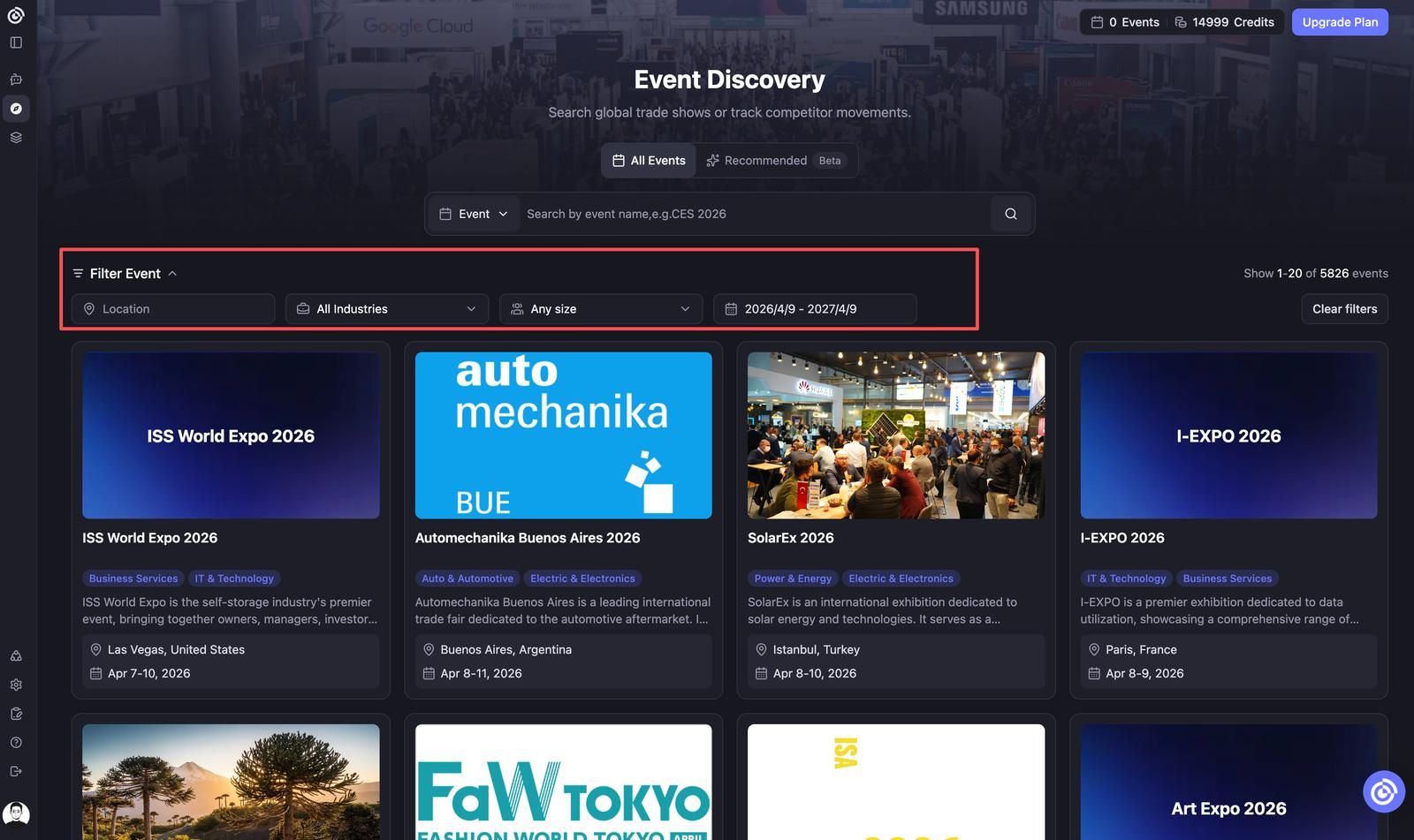
Filters stack — you can combine them freely.
Understanding the Event Card
Each result shows:
- Event name and dates
- Location (city, country)
- Industry tags
Exhibitor count and unlock status are shown inside the event detail page. Click any event card to open it.
Tips
- Event search only supports English. Non-English event names will not return results.
- If you know a company that typically exhibits at the events you care about, use Exhibitor mode to find those events quickly instead of browsing manually.
- The event catalog is updated regularly. If a newly announced show is missing, check back within 2–4 weeks.
FAQ
Q: Does standard event search consume Credits?No. Searching by event name is free. Credits are only consumed when you unlock an event to access its exhibitor leads and contacts.
Q: Why can't I find an event I know exists?The event may not be indexed yet, may be listed under its English name only, or may not have enough public data available yet.
Q: Can I combine multiple filters at the same time?Yes. Date, geography, industry, and exhibitor-count filters can be stacked together to narrow results.