Connect Salesforge to Lensmor
Use Salesforge with Lensmor when you want to export Lensmor contacts into a Salesforge Sequence and use Lensmorgenerated email and LinkedIn outreach content inside that sequence.
Written By joyce
Last updated 4 months ago
Last updated: June 30, 2026
Use Salesforge with Lensmor when you want to export Lensmor contacts into a Salesforge Sequence and use Lensmor-generated email and LinkedIn outreach content inside that sequence.
Before exporting, add Lensmor variables to your Salesforge Sequence templates. Lensmor generates personalized content for each lead, and Salesforge replaces those variables with the corresponding Lensmor-generated content.
What to configure in Salesforge
Add these Lensmor variables to the Salesforge Sequence you plan to use:
{{lensmor_email_subject}}{{lensmor_email_body}}{{lensmor_linkedin_message}}
Use the email variables in your email step. Use the LinkedIn variable in your LinkedIn step.
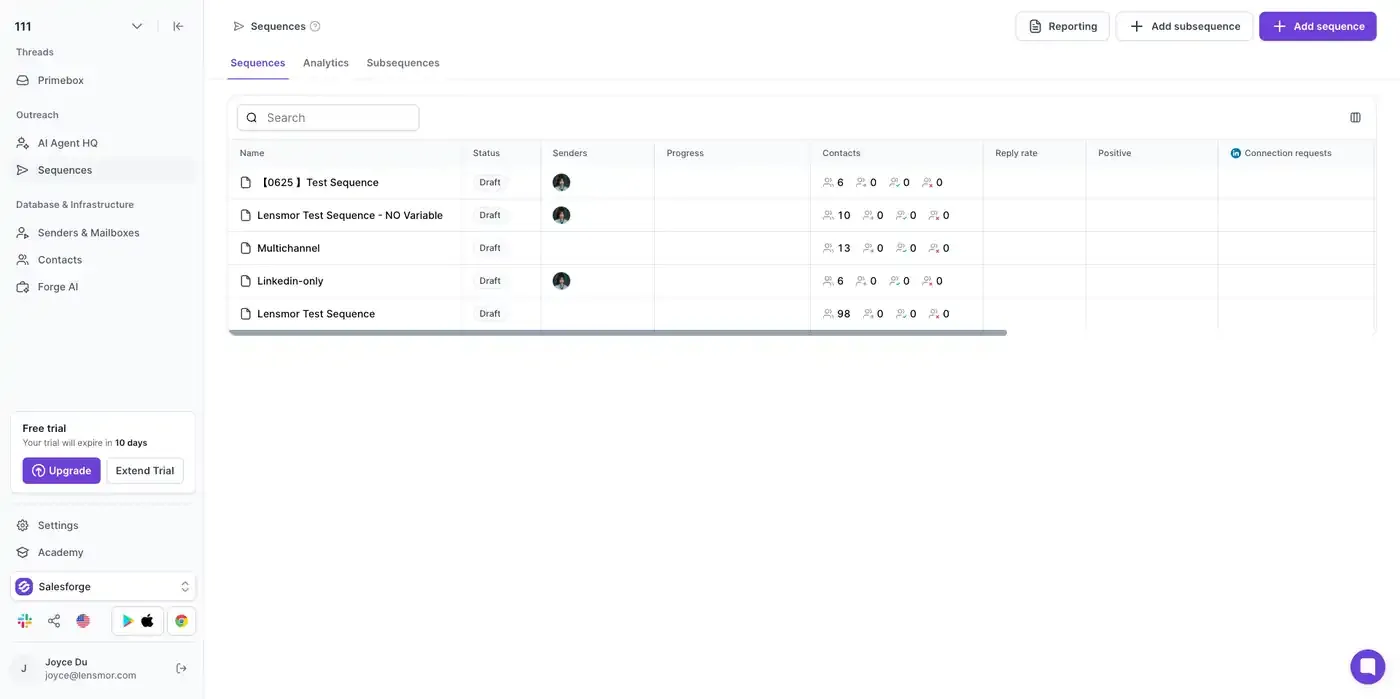
Add the email subject variable
Open the email step in your Salesforge Sequence and place {{lensmor_email_subject}} in the subject field.
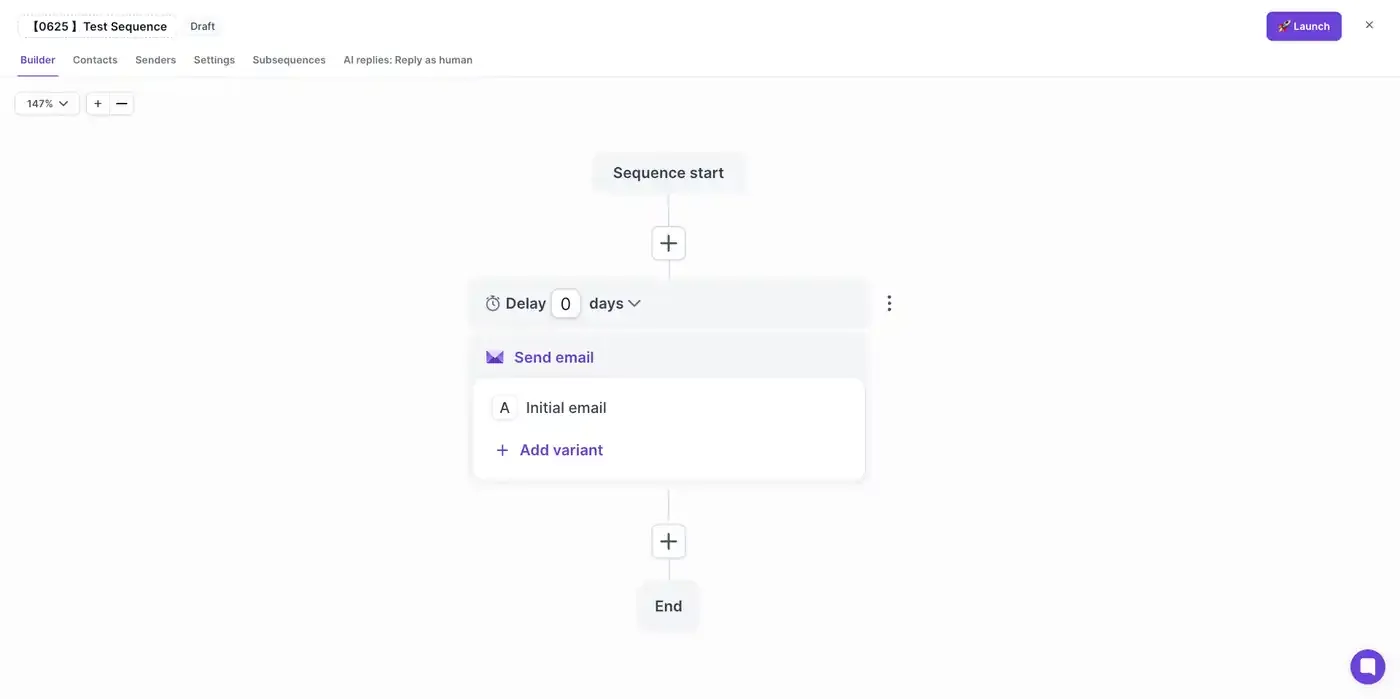
Add the email body variable
Place {{lensmor_email_body}} in the email body where you want the Lensmor-generated email copy to appear.
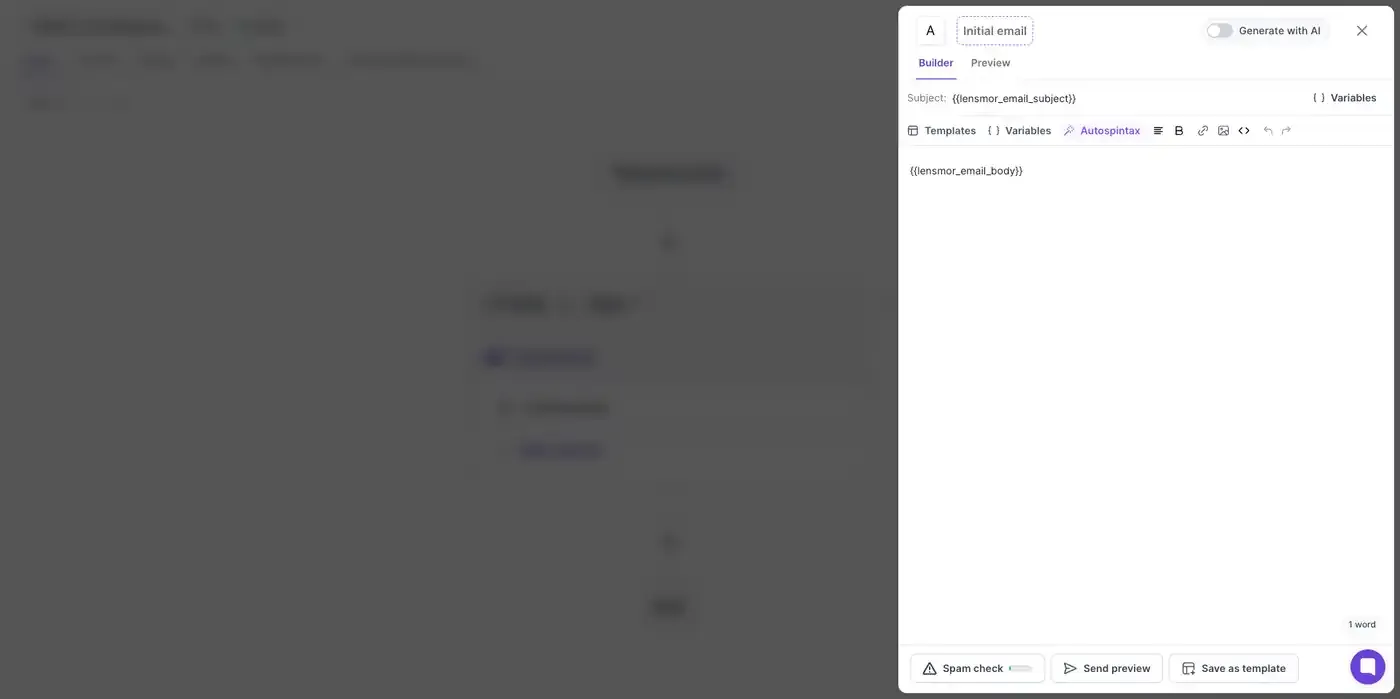
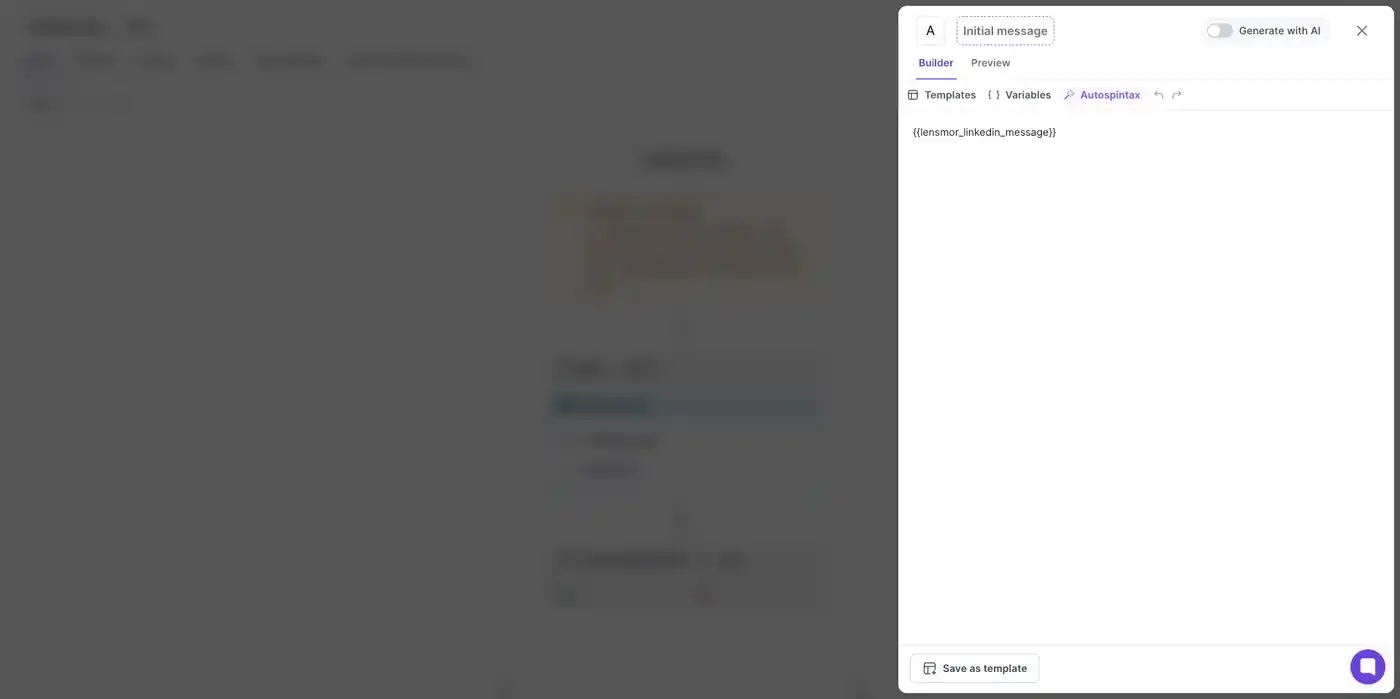
Add the LinkedIn message variable
If your sequence includes a LinkedIn message step, place {{lensmor_linkedin_message}} in that step.
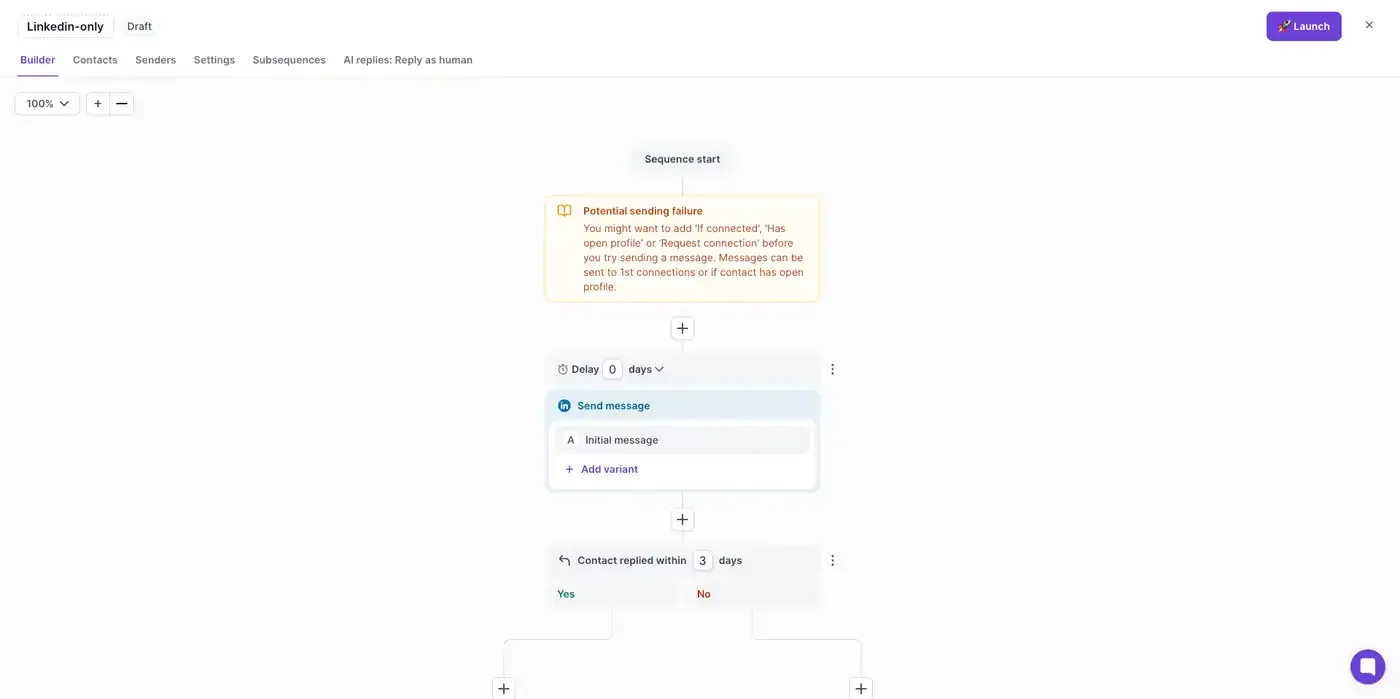
Review the final template
Before exporting contacts from Lensmor, confirm that your Salesforge Sequence contains the variables you want Salesforge to replace.
Export from Lensmor
After your Salesforge Sequence is ready:
- Generate outreach messages in Lensmor if you want personalized email or LinkedIn content.
- Open the event in Lensmor.
- Go to Attendees.
- Select contacts or apply filters.
- Open Export.
- Choose Salesforge.
- Select the Salesforge destination and sequence.
- Confirm the export.
Current Salesforge export supports up to 100 contacts per export.
Notes
- Hidden emails remain hidden unless revealed before export.
- Contacts can be exported without generated messages, but the Lensmor outreach variables will only be useful when outreach content has been generated.
- If a variable is missing from your Salesforge template, Salesforge cannot place the corresponding Lensmor-generated content in that message.
Was this helpful?
Still need help? Share an idea