Credits Usage Policy
Understand current Lensmor Credit costs, plan allocations, reset rules, and Add-On Credits.
Written By joyce
Last updated About 2 months ago
Last updated: September 3, 2026
Credits are Lensmor's usage unit for paid actions.
Credits let Lensmor price paid workflows consistently, including event unlocks, email and phone reveal actions, exhibitor searches, and some Agent tasks.
Actions that use Credits
Current Credit costs are:
Agent tasks can vary because they may inspect different data, run follow-up steps, or include paid reveal actions.
Event Access includes exhibitors and public-signal attendees. Full Access adds available Visitors from Event Organizers and Data Partners. If you first spend 2,000 Credits on Event Access and later unlock Visitors for 3,000 Credits, your total spend for that event is 5,000 Credits.
Full Access and Visitor upgrades require an active paid subscription. The Visitor option only appears when Lensmor has Visitor data for that event.
Actions that usually do not use Credits
These actions usually do not deduct Credits:
Signing in.
Searching by event name.
Opening an event preview.
Viewing the first three matching exhibitors or personnel in a locked event preview.
Filtering visible rows.
Changing visible columns.
Saving or reviewing lists.
Detecting LinkedIn Activity.
Generating outreach messages.
Some actions may still require a paid plan even when they do not consume Credits.
Onboarding gift Credits
Eligible new accounts receive 2,000 gift Credits after completing onboarding.
Gift Credits are shown separately in the Credits menu when they are available in your account.
Subscription Credits
The current paid plan lineup and Credit reset schedule are:
Unused subscription Credits do not roll over. Prices, features, and commercial terms can change, so review the current pricing page, checkout, or signed agreement before purchase.
Add-On Credits
Add-On Credits are only available to users with an active paid subscription. You can purchase them when your plan allocation does not cover a campaign or temporary increase in usage.
Add-On Credits remain valid for 12 months from purchase. Review the current checkout terms before completing your purchase.
One-time Credits and passes
Some plans or offers may include one-time Credits or single-event access. The exact package, access period, and included Credits are shown on the pricing page, in the plan modal, or in your commercial agreement.
Credit confirmation
Lensmor shows paid actions before they run. Review the access level, included data sources, and cost before confirming an event unlock. Also review the cost before a contact reveal, event footprint search, or Agent task.
Check your balance
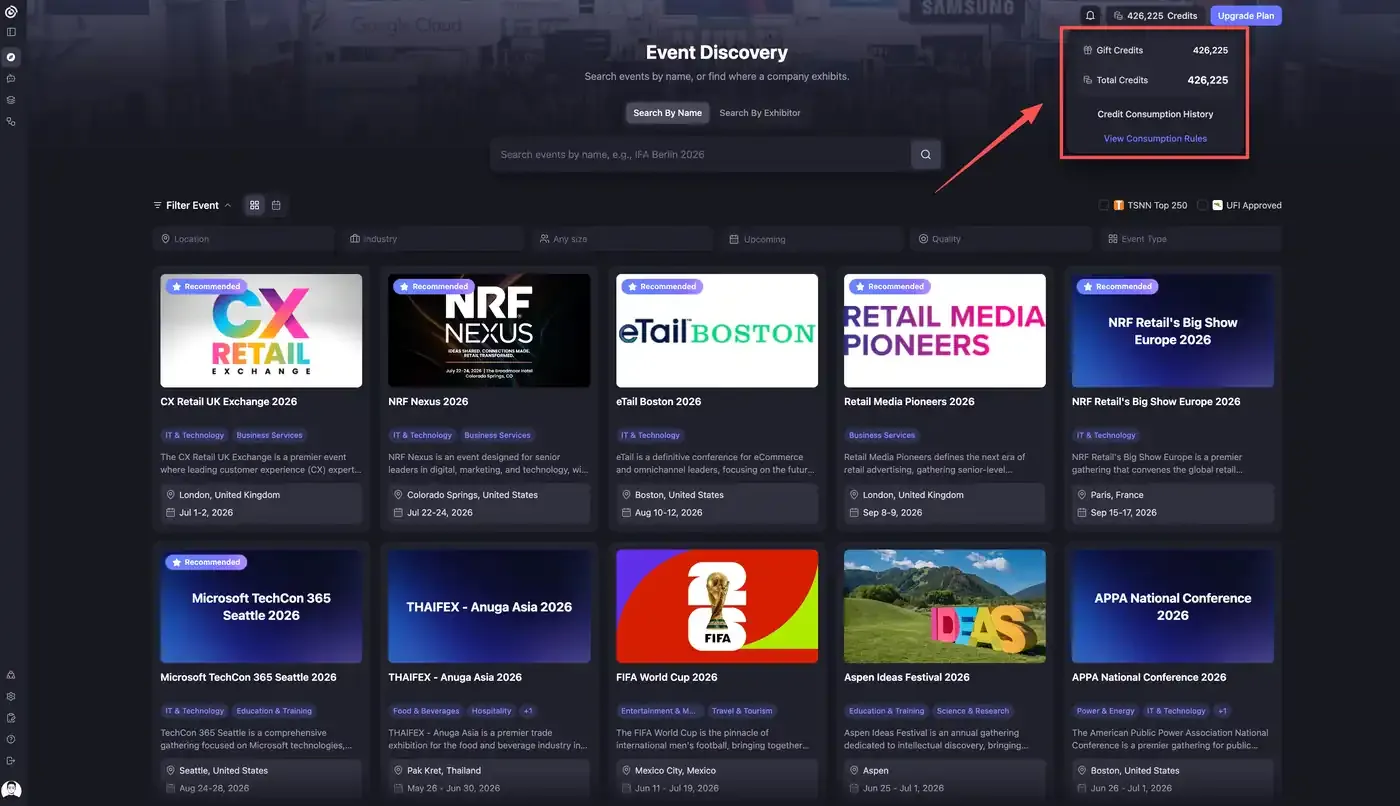
Open the Credits menu in the top-right corner of Lensmor to see your current balance.
The menu shows:
Gift Credits: Credits granted through onboarding, promotions, or other Lensmor offers.
Total Credits: the Credits currently available in your account.
From the same menu, select Credit Consumption History to review balance changes, or select View Consumption Rules to open the current usage rules.
Credit history
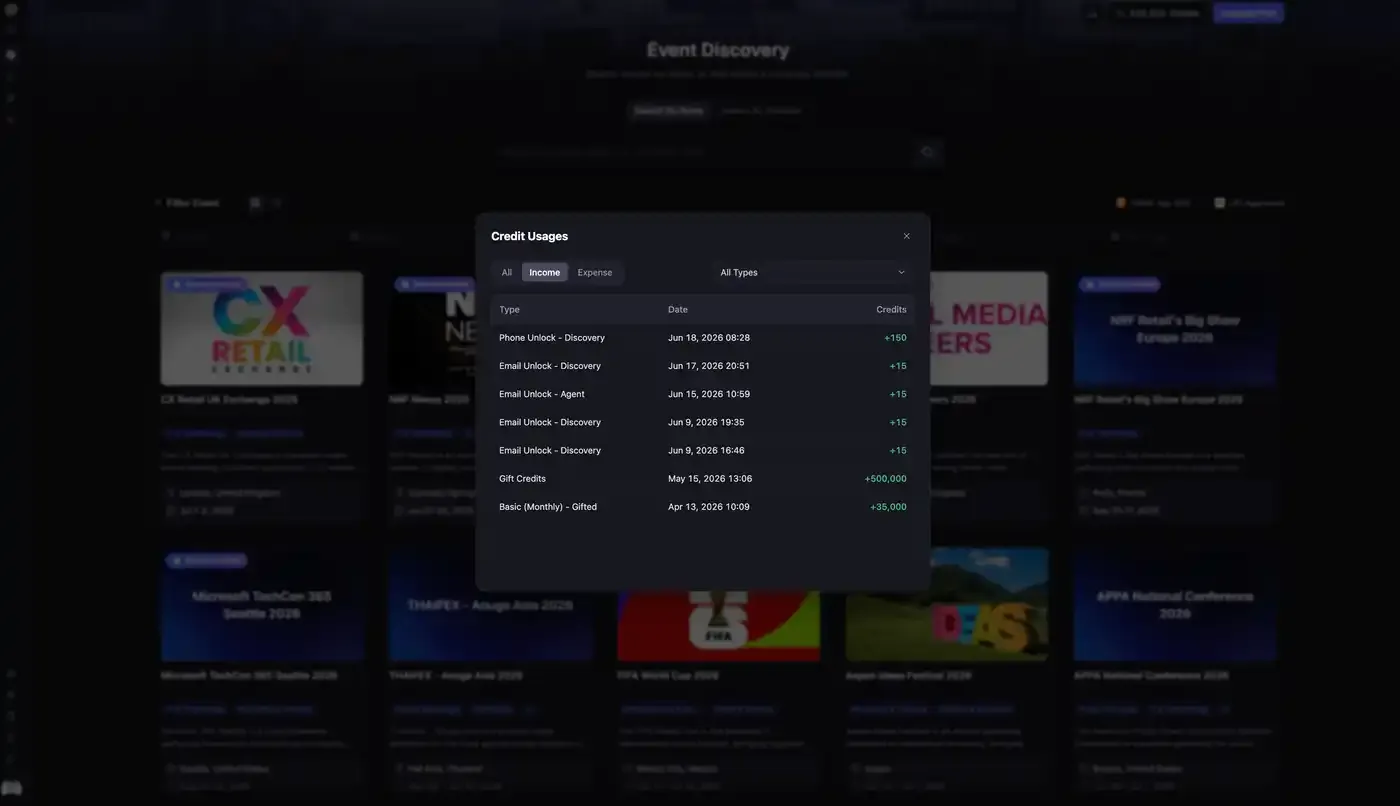
Credit Consumption History opens the Credit Usages modal. Use the All, Income, and Expense tabs, plus the All Types filter, to review Credit changes by type, date, and amount.
Credit history may include:
Event Access, Full Access, or Visitor unlocks.
Email unlocks.
Phone unlocks.
Refunds for unavailable email or phone reveal results.
Event footprint searches.
Agent tasks.
Gift Credits.
Subscription Credit grants or expirations.
Income entries add Credits to your balance, such as gift Credits, plan grants, Add-On Credits, or returned Credits. Expense entries deduct Credits after paid actions are completed.
Failed or unavailable results
Some enrichment tasks may fail or return unavailable when data providers cannot verify a result. If an email or phone reveal returns no result, Lensmor returns the Credits for that reveal.
If Search by Exhibitor returns no results, no Credits are deducted. The 50-Credit charge applies only after at least one matching result is returned.
Check the task result and Credit history for the final status of each action.
Was this helpful?
Still need help? Share an idea