Reveal and Enrich Contact Data
Lensmor lets you reveal email and phone data for selected contacts when available. You can also check LinkedIn Activity and generate outreach messages without consuming Credits.
Written By Alex Mercer
Last updated 3 months ago
Last updated: July 24, 2026
Lensmor lets you reveal email and phone data for selected contacts when available. You can also check LinkedIn Activity and generate outreach messages without consuming Credits.
Use paid reveal actions only for contacts you plan to review, export, or contact. Email and phone reveal actions consume Credits when Lensmor returns a result.
You can only enrich contacts included in your event access. Event Access covers exhibitors and public-signal attendees. Visitor contacts require Full Access or the Visitor upgrade.
Available contact actions
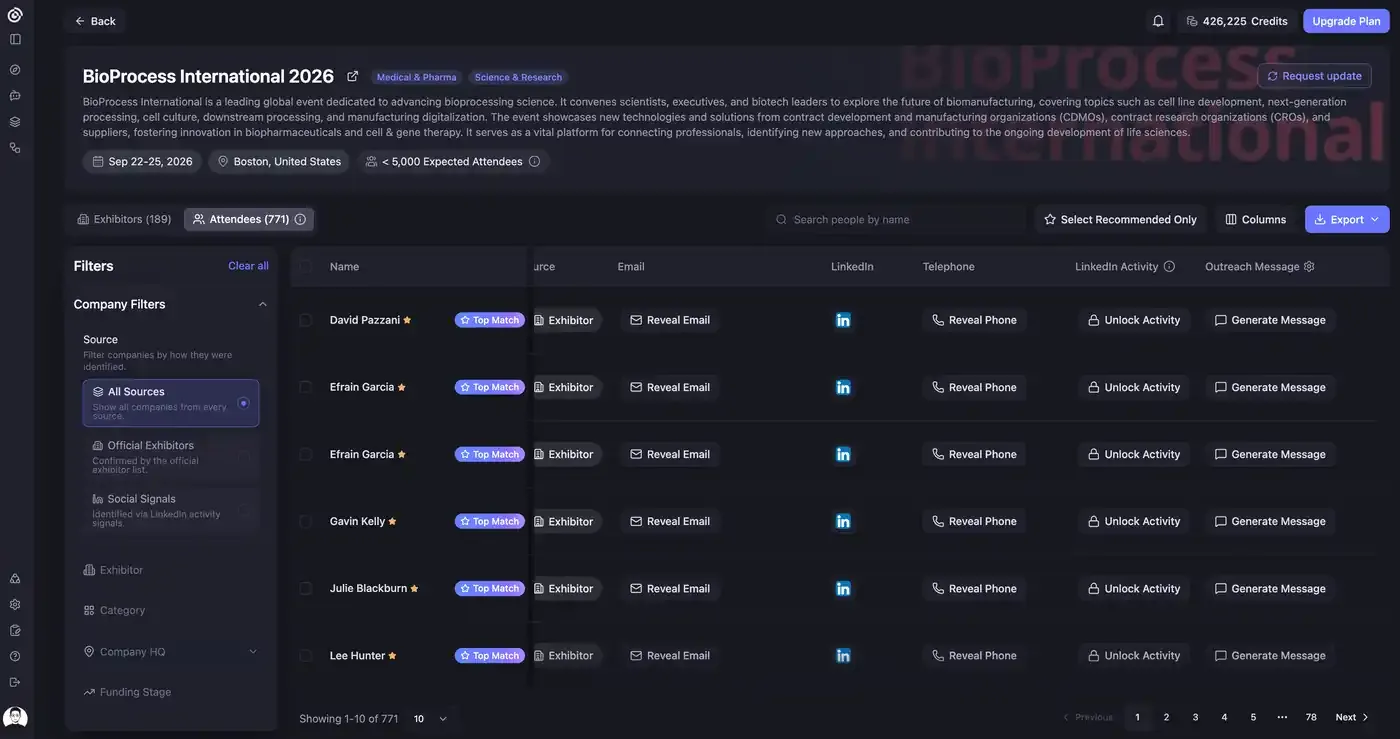
From the Attendees tab, each contact row can include actions such as:
- Reveal Email. Reveal the contact's email when available.
- Reveal Phone. Reveal the contact's phone number when available.
- Unlock Activity. Check LinkedIn Activity for the contact.
- Generate Message. Generate an outreach message for the contact.
Generate Message is an outreach action and is covered in a separate article.
Bulk unlock and enrich
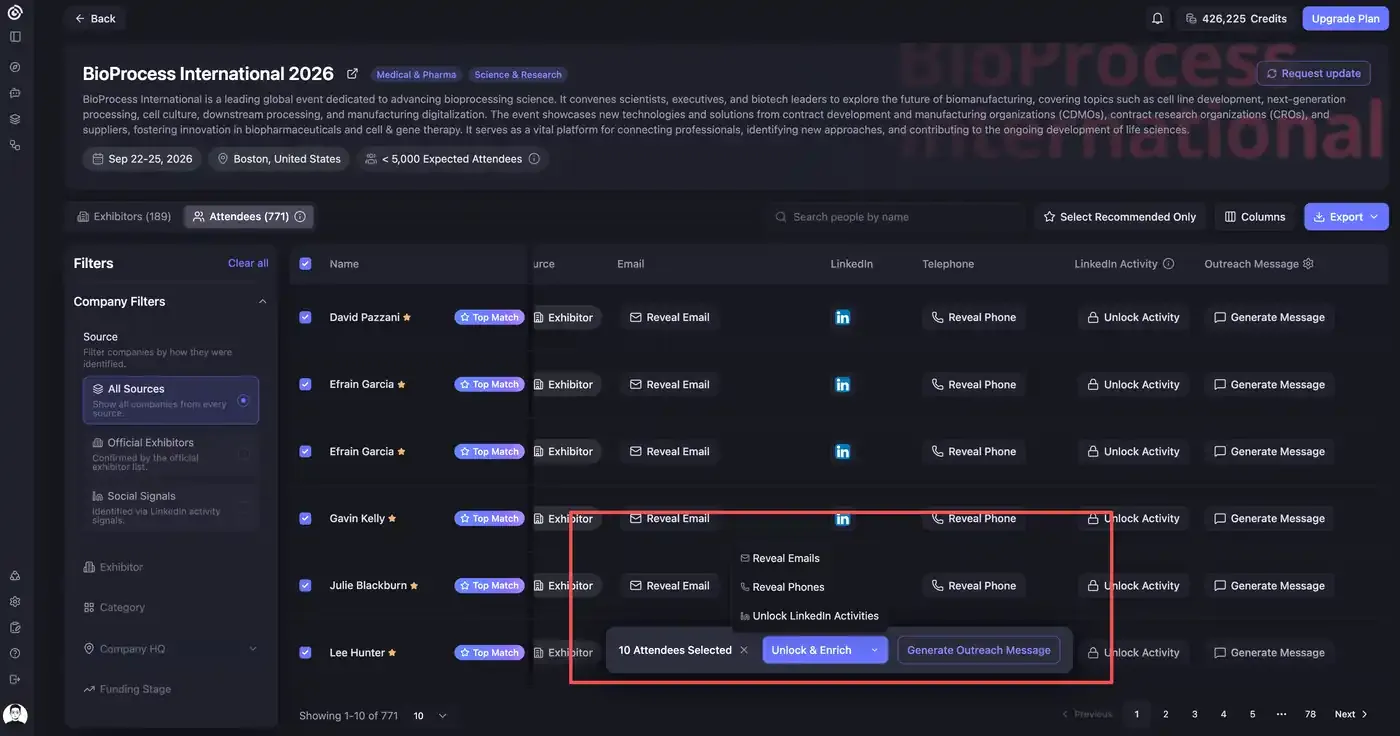
You can select multiple contacts and run reveal or activity actions in bulk.
- Open an unlocked event.
- Go to Attendees.
- Select one or more contacts with the row checkboxes.
- Use the bottom action bar to open Unlock & Enrich.
- Choose Reveal Emails, Reveal Phones, or Unlock LinkedIn Activities.
- Review the results when the task completes.
Credit costs
Current Credit costs are:
LinkedIn Activity detection and outreach message generation do not consume Credits. Email and phone reveal actions consume Credits for each selected contact when Lensmor returns a result.
How to reveal emails
- Open an unlocked event.
- Go to Attendees.
- Select one or more contacts.
- Select Unlock & Enrich.
- Choose Reveal Emails.
- Confirm the Credit cost.
- Review the results when the task completes.
How to reveal phones
- Open an unlocked event.
- Go to Attendees.
- Select one or more contacts.
- Select Unlock & Enrich.
- Choose Reveal Phones.
- Confirm the Credit cost.
- Review the results when the task completes.
How to check LinkedIn Activity
- Open an unlocked event.
- Go to Attendees.
- Select one or more contacts.
- Select Unlock & Enrich.
- Choose Unlock LinkedIn Activities.
- Review the activity result when the task completes.
This action does not consume Credits.
Selection limit
You can select up to 100 attendees at a time for bulk enrichment actions.
If data is unavailable
Some contacts may not have a verified email, phone number, or LinkedIn activity available from Lensmor's data providers and public sources.
If an email or phone reveal returns no result, Lensmor returns the Credits for that reveal. The contact remains in your list, but the field may stay hidden, empty, or marked unavailable.
Responsible use
Before contacting anyone, make sure your outreach complies with applicable email, privacy, and anti-spam laws. Lensmor provides event and contact intelligence, but your team is responsible for how you use it.
Was this helpful?
Still need help? Share an idea